
There is a way to assign a shortcut keystroke to applications. This is handy for a lot of us that were from before the mouse, and prefer the keyboard over the mouse. It seems faster.
Here is how to create a keyboard shortcut for an application.
1. Right click the program icon and click Properties.
2. Click the Shortcut tab.
3. In the middle of the box, under Shortcut Key, click the empty box.
4. Enter the keyboard shortcut that you would like to use (CTRL/ALT/SHIFT and a letter/number work great).
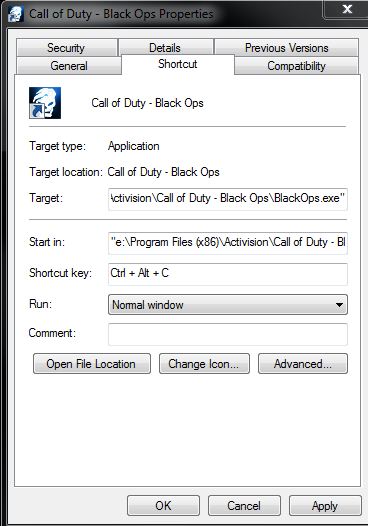
5. Press OK.
From then on, you can use the shortcut keyboard strokes to launch the application. For a lot of most-used apps, this can be handy.