
I see many people with pictures of their XBox Live avatars on their websites, and I wondered how it was done.
Turns out, its extremely simple.
Type http://avatar.xboxlive.com/avatar/<XBox Live ID>/avatar-body.png into your browser, substituting the <XBox Live ID> for your gamertag, and you’ll have a PNG of your avatar.
Like I said, simple!
BTW: Here is my current avatar:

MSTechpages.com is a participant in the Amazon Services LLC Associates Program, an affiliate advertising program designed to provide a means for sites to earn commission fees by advertising and linking to the following web sites. Amazon.com
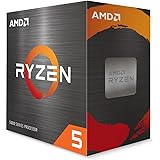
AMD Ryzen 5 5500 6-Core, 12-Thread Unlocked Desktop Processor with Wraith Stealth Cooler
$62.00 (as of July 11, 2025 16:22 GMT -07:00 - More infoProduct prices and availability are accurate as of the date/time indicated and are subject to change. Any price and availability information displayed on [relevant Amazon Site(s), as applicable] at the time of purchase will apply to the purchase of this product.)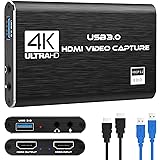
Capture Card Nintendo Switch, 4K HDMI Video Capture Card, 1080P 60FPS, HDMI to USB 3.0 Capture Card for Streaming Work with Camera/Xbox/PS4/PS5/PC/OBS
$22.39 (as of July 10, 2025 16:21 GMT -07:00 - More infoProduct prices and availability are accurate as of the date/time indicated and are subject to change. Any price and availability information displayed on [relevant Amazon Site(s), as applicable] at the time of purchase will apply to the purchase of this product.)