
MSTechpages
  • Home
  • Knowledge Base
  • Reviews
  • Articles
  • About
News

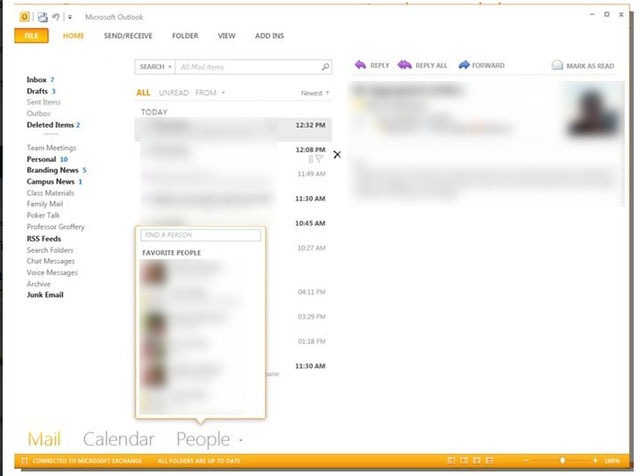
Office 15 Outlook Metro UI Screenshot

Apr 15, 2011·Dustin

reA new screenshot has emerged from Office 15 showing the new Metro user interface on Outlook. I really like the new interface, it’s simple, sweet and to the point. For more updates, screenshots and information on new Microsoft software, from Office 15 to Windows 8, be sure to check out our forums.

The screenshots also reveal a more flattened user interface within Outlook. Microsoft’s Outlook UI no longer seems cluttered and provides users with direct access to their mail in a simple and yet familiar way. Microsoft’s Metro design language is an internal code name for a typography-based design languages created and used by the company. Microsoft originally started using Metro in Media Center and showcased a full version in the company’s Zune products. Microsoft’s latest mobile operating system, Windows Phone 7, also features the Metro look and feel throughout. Microsoft has started to use the Metro UI on more of its web properties to produce a clean, fast and simple look.
office15outlook

Related Products on Amazon
USB Flash DriveShop on Amazon
External SSDShop on Amazon
Wireless KeyboardShop on Amazon
PC Cleaning KitShop on Amazon

MSTechPages is a participant in the Amazon Services LLC Associates Program, an affiliate advertising program designed to provide a means for sites to earn advertising fees by advertising and linking to Amazon.com. As an Amazon Associate, we earn from qualifying purchases at no extra cost to you.


Dustin

Related Articles

News

Microsoft Releasing New Certifications for AI, Azure, Security

Mar 9, 2026·Dustin
News

Microsoft Bringing Back the Vertical Taskbar… Drama Ensues.

Feb 15, 2026·Dustin
News

Microsoft Store Adds CLI Interface

Feb 12, 2026·Dustin

Windows Insider Builds

Canary
28020.1685
Dev
26300.7965
Beta
26220.7961
Release Preview
26100.7918
Recent Knowledge Base Articles
  • Add “End Task” To Right Click Application on Taskbar
  • Offline install of .Net Framework 3.5 using DISM
  • Disable Autohide Scrollbars
  • Install Active Directory RSAT in Windows 10 1809 or later
  • Disable File Grouping in File Explorer
  • Forget Wireless Networks
  • Show Hidden Files & Folders
  • Enable Night Light Mode
  • How to Fix a Network Printer Showing Offline
  • Open a Command Prompt/Powershell Prompt at Folder Location
MSTechpages

Your source for Windows news, tutorials, and Insider builds.

Windows

  • Windows 11
  • Windows Insider
  • Canary Channel
  • Cumulative Updates

Resources

  • Knowledge Base
  • Articles
  • Reviews

Company

  • About
  • Contact
  • Privacy Policy
  • Advertise

© 2026 MSTechpages. All rights reserved.

Privacy
