Estimated Reading Time: 2 min
This is just a small, simple and sweet review of the freeware Start button replacement for Windows 8 from Stardock called Start8.
Installation was very easy, the standard Next, Accept, Next, Next, Finish. After that, you get the Start button on your desktop:
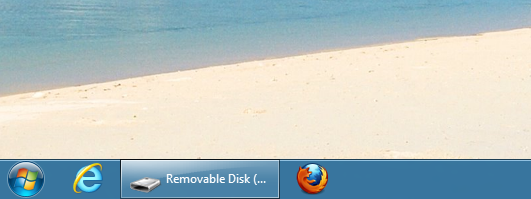
The Start8 program replaces the MetroUI Start screen with a very Metro-like Start button. The Metro way of organizing the various programs is still present in the Start8 interface, which is one of my gripes with the new MetroUI in the first place. It just moved the problem to a Start button lookalike.
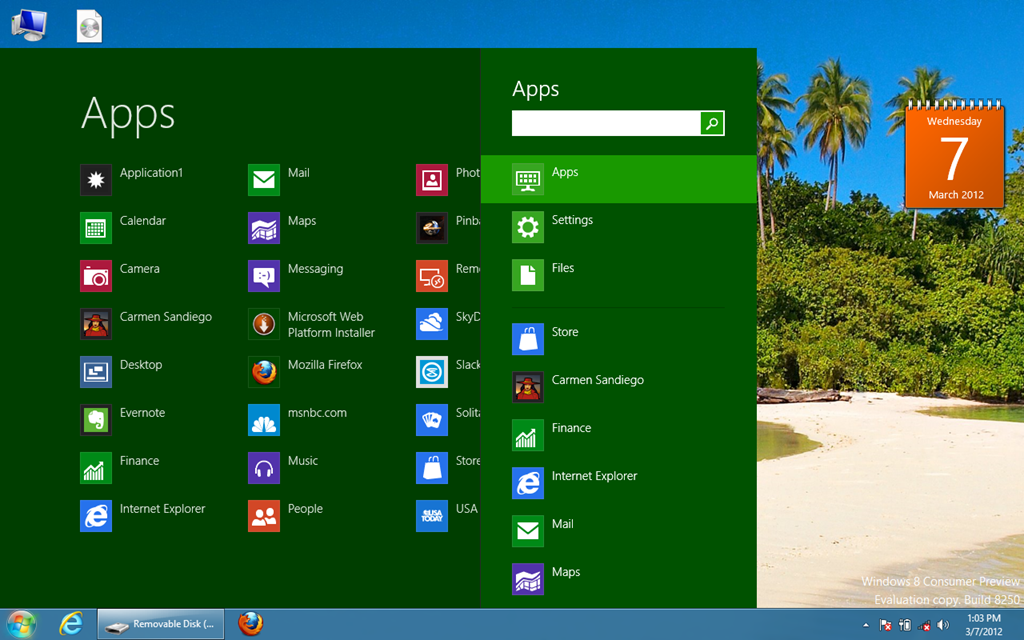
When you click the lower left corner, instead of going to the Start screen, you go to the Start8 interface. So, it attempts to replace the Start screen with the new Start8. But, I was able to hit the Windows key and go back to the Start screen. Unfortunately, I’ve been unable to do it since that first time. Now, the Windows key also goes to the Start8 interface.
For me, I prefer the “old” MetroUI over the Start8 interface. It’s not bad, and if you really need to have a Start button, go with Start8, but just know that it really isn’t a replacement for the Metro UI, it just moves it to a smaller area on the desktop “Explorer” interface (which is now just an app). I’m uninstalling and staying with the standard Metro UI Start screen, rather than the hackjob of Start8.
If you installed it and liked it, please leave a comment. I’m not a fan of it at all, it seems like a very rushed job to be the “first” for a replacement start button (there are others, but they weren’t made for Windows 8).
MSTechPages is a participant in the Amazon Services LLC Associates Program, an affiliate advertising program designed to provide a means for sites to earn advertising fees by advertising and linking to Amazon.com. As an Amazon Associate, we earn from qualifying purchases at no extra cost to you.