Many people are getting an error 80240020 when updating to Windows 10. This is due to an incomplete download or a corrupted download. Here is a solution.
1. Browse to C:\Windows\SoftwareDistribution\Download.
2. Delete everything within that folder.
3. Open a command prompt as Administrator. Type wuauclt.exe /updatenow
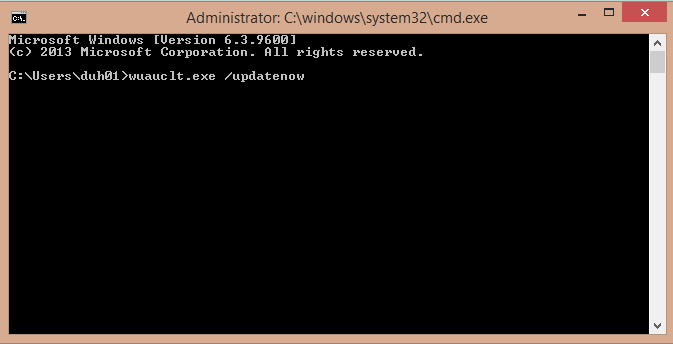
4. Go back into Windows Update and you should see Windows 10 re-downloading. When it is complete, you should be able to upgrade to Windows 10 with no issues.
MSTechPages is a participant in the Amazon Services LLC Associates Program, an affiliate advertising program designed to provide a means for sites to earn advertising fees by advertising and linking to Amazon.com. As an Amazon Associate, we earn from qualifying purchases at no extra cost to you.