
Estimated Reading Time: 2 min
Microsoft has announced the Windows 365 Link device, a thin client that will stream Windows and host all applications and data on the Azure platforms. This is not aimed for the home user, but for those enterprises that require high security, easy deployment, low costs, and easy manageability. With the lack of local storage, your data is always in your control.
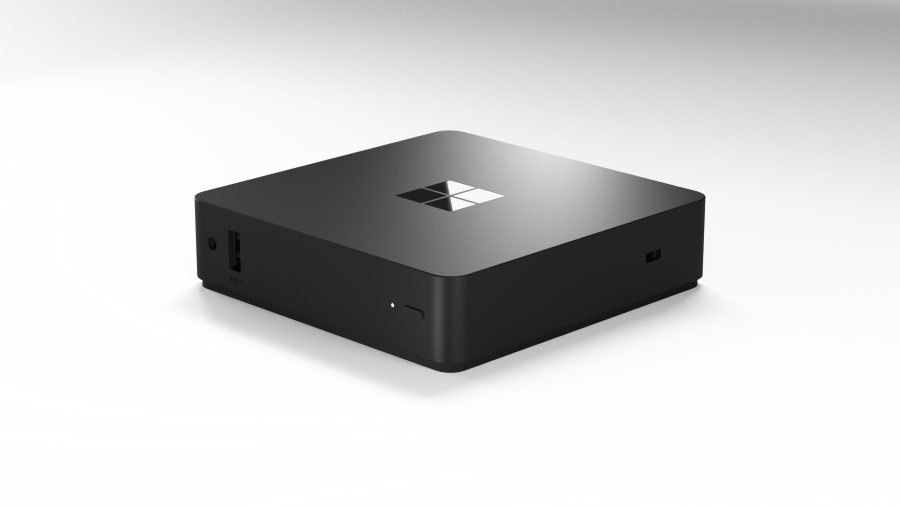
Coming in at $349, it’s a low cost workstation using environmentally friendly design, high performance, fanless, and very small.
Today, as users take advantage of virtualization offerings delivered on an array of devices, they can face complex sign-in processes, peripheral incompatibility, and latency issues. Windows 365 Link helps address these issues, particularly in shared workspace scenarios. It’s compact, lightweight, and designed to maximize productivity with its highly responsive performance. It takes seconds to boot and instantly wakes from sleep, allowing users to quickly get started or pick up where they left off on their Cloud PC. With dual 4K monitor support, four USB ports, an Ethernet port, Wi-Fi 6E, and Bluetooth 5.3, Windows 365 Link offers seamless connectivity with both wired and wireless peripherals.
Licensing is the typical Microsoft licensing, coming in close to $60 a month.
-
You must have an Intune license to use Intune to manage the devices.
-
Windows 365 Enterprise: Users must have licenses for Windows E3, Intune, Microsoft Entra ID P1, and Windows 365 to use their Cloud PC.
-
Windows 365 Frontline: Users must
-
Have licenses for Windows E3, Intune, Microsoft Entra ID P1.
-
Be added to the Microsoft Entra security group in the provisioning policy to use their Cloud PC.
-
MSTechPages is a participant in the Amazon Services LLC Associates Program, an affiliate advertising program designed to provide a means for sites to earn advertising fees by advertising and linking to Amazon.com. As an Amazon Associate, we earn from qualifying purchases at no extra cost to you.



