
MSTechpages
  • Home
  • Knowledge Base
  • Reviews
  • Articles
  • About
News

New Windows 7 Upgrade Advisor

Apr 4, 2010·Dustin·Comments (0)

Estimated Reading Time: 1 min

Microsoft has updated their Windows 7 Upgrade Advisor. If you are still not using Windows 7, but want to, you can check the compatibility of your hardware and software with this tool. It does a great job of recognizing incompatiblities. Although, some of them listed have manufacturers drivers or a workaround to get them to work. It gives you a great starting point as to what to upgrade. Of course, if you are still running that Windows 3.11 application and expect it to continue working on your x64 version of Windows, you might look into a more recent version!

Download and run the Windows 7 Upgrade Advisor to see if your PC is ready for Windows 7. It scans your hardware, devices, and installed programs for known compatibility issues, gives you guidance on how to resolve potential issues found, and recommends what to do before you upgrade.

Related Products on Amazon
DDR5 RAMShop on Amazon
NVMe SSD 1TBShop on Amazon
Laptop Cooling PadShop on Amazon
Thermal PasteShop on Amazon

MSTechPages is a participant in the Amazon Services LLC Associates Program, an affiliate advertising program designed to provide a means for sites to earn advertising fees by advertising and linking to Amazon.com. As an Amazon Associate, we earn from qualifying purchases at no extra cost to you.

Written by
Dustin · Founder and Head Editor, News Poster
Sr. Cybersecurity Engineer - Microsoft MVP Windows Experience (2014-2015)

Dustin is the founder and head editor of MSTechpages. He started the site to help other users of Windows. He has been very active with helping others throughout the years, from USENET to Microsoft Answers to the latest Microsoft Communities as well as other internet forums such as Reddit. He is a Sr. System Administrator, holds several industry certifications and degrees.

View all 1500 articles by Dustin →

Related Articles

SecurityUpdates News

Patch Tuesday a BIG One!

Oct 14, 2026 · Dustin
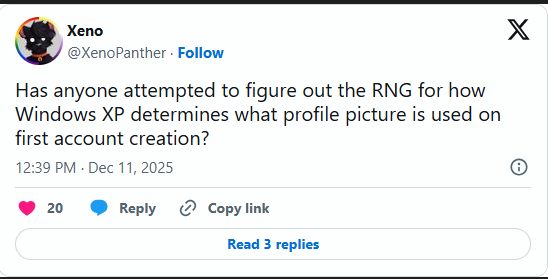
Xeno asks how Windows XP randomly chooses a profile picture when an account is first created News

Windows XP Logon Picture

Sep 10, 2026 · Dustin
New build for you! News

Windows 11 26H2 In Release Preview Channel

Aug 28, 2026 · Dustin

Windows Insider Builds

Beta
26220.9606
Beta (26H1)
28020.3172
Experimental
26340.9616
Experimental (26H1)
28120.3181
Experimental (Future)
29683.1000
Recent Knowledge Base Articles
  • Disable Touch Screen in Windows
  • Add “End Task” To Right Click Application on Taskbar
  • Offline install of .Net Framework 3.5 using DISM
  • Disable Autohide Scrollbars
  • Install Active Directory RSAT in Windows 10 1809 or later
  • Disable File Grouping in File Explorer
  • Forget Wireless Networks
  • Show Hidden Files & Folders
  • Enable Night Light Mode
  • How to Fix a Network Printer Showing Offline
MSTechpages

Covering Microsoft since the dial-up days, using Windows since 2.0.

Windows

  • Windows 11
  • Windows Insider
  • Canary Channel
  • Cumulative Updates

Resources

  • Knowledge Base
  • Articles
  • Reviews

Company

  • About
  • Contact
  • Privacy Policy
  • Advertise

© 2026 MSTechpages. All rights reserved.

Privacy