Estimated Reading Time: 1 min
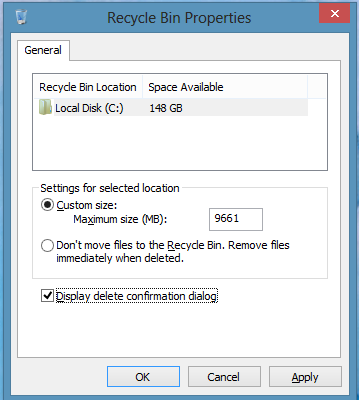
Windows 8 doesn’t show the file deletion confirmation dialog by default. To re-enable the dialog, do the following:
1. On the desktop, right click the Recycle Bin and select Properties.
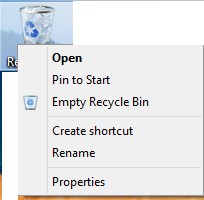
2. Select the checkbox near the bottom ‘Display delete confirmation dialog’.
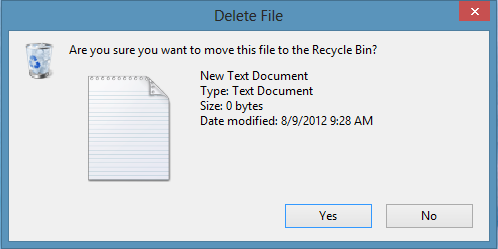
3. You will now have the following when you go to delete a file.
Related Products on Amazon
USB to SATA AdapterShop on Amazon
DDR3 RAMShop on Amazon
External HDDShop on Amazon
USB Flash DriveShop on Amazon
MSTechPages is a participant in the Amazon Services LLC Associates Program, an affiliate advertising program designed to provide a means for sites to earn advertising fees by advertising and linking to Amazon.com. As an Amazon Associate, we earn from qualifying purchases at no extra cost to you.