Estimated Reading Time: 2 min
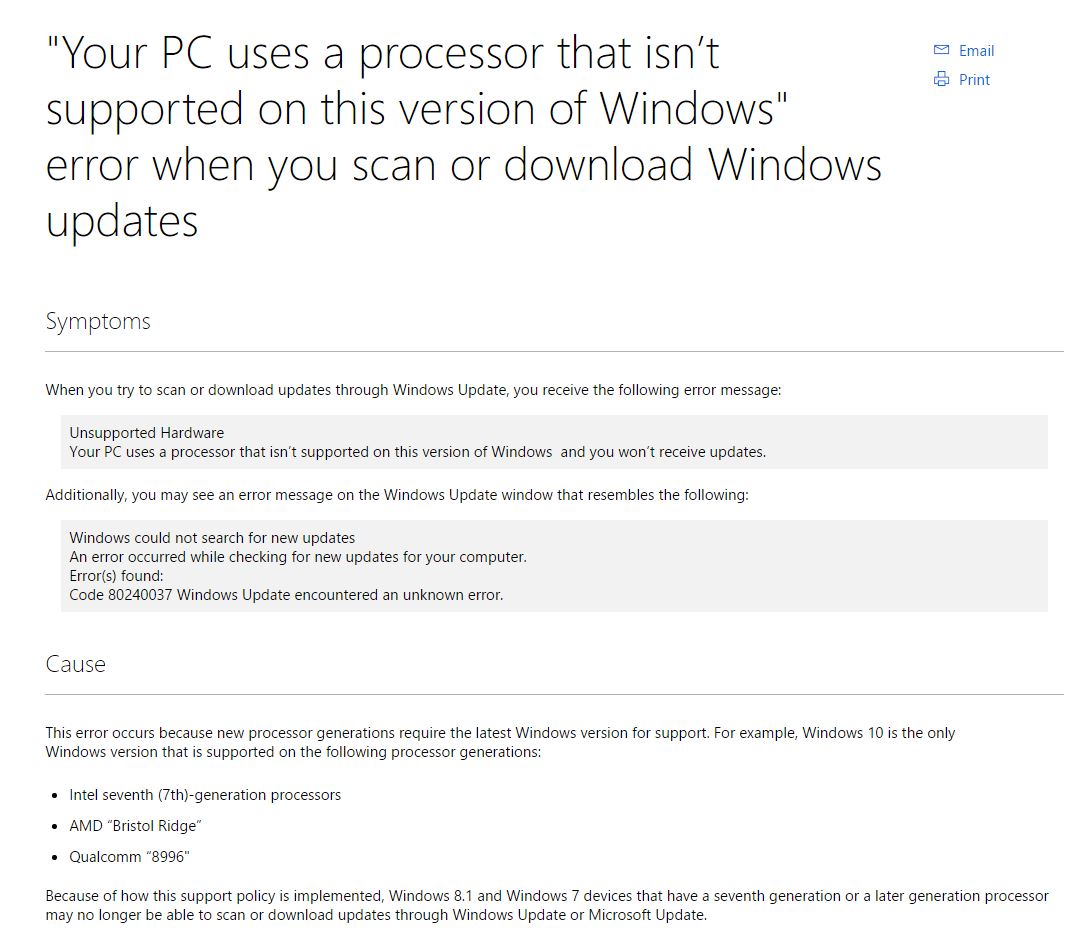
For those building aw machine with the latest CPU’s, Microsoft might be a roadblock if you’re planning on any OS other than Windows 10. When you attempt to scan for updates, you can get an error “Your PC uses a processor that isn’t supported on this version of Windows”.
While Windows will work just fine, it does sound like you are out of luck for future Windows Updates. This doesn’t come as a huge surprise as Microsoft has announced that Windows 10 will support the newer CPU’s and that the older OS’s will not be updated for supporting the latest CPU’s.
I can understand drivers for the latest CPU’s not being available, and I’m hoping it’s limited to this. However, with the way this is worded, it sounds like any updates when using the newer CPU on an older OS will be unavailable. As I do not have a newer CPU, I’m going to wait and see how big of an issue this could be for those hold outs that are still using Windows 7 or 8.1. Of course, mainstream support has ended for Windows 7 and Windows 8.1 loses mainstream support in 2018.
I would like to find out if it’s all updates (even previously released ones) that are blocked or if it’s any new ones. This paragraph – Because of how this support policy is implemented, Windows 8.1 and Windows 7 devices that have a seventh generation or a later generation processor may no longer be able to scan or download updates through Windows Update or Microsoft Update. – is the one that makes it a bit more of an issue. It’s not a shocker that the CPU wouldn’t be supported in the older OS, but this is blocking working updates on a working OS due to the newer CPU.
MSTechPages is a participant in the Amazon Services LLC Associates Program, an affiliate advertising program designed to provide a means for sites to earn advertising fees by advertising and linking to Amazon.com. As an Amazon Associate, we earn from qualifying purchases at no extra cost to you.