Estimated Reading Time: 1 min
Windows 10 introduced a new feature that allows you to limit the blue light at a certain time to help with sleep patterns and to reduce eye stress at night. To enable this feature, follow these steps.
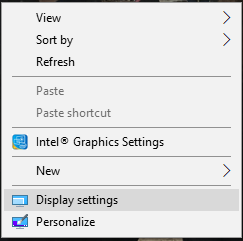
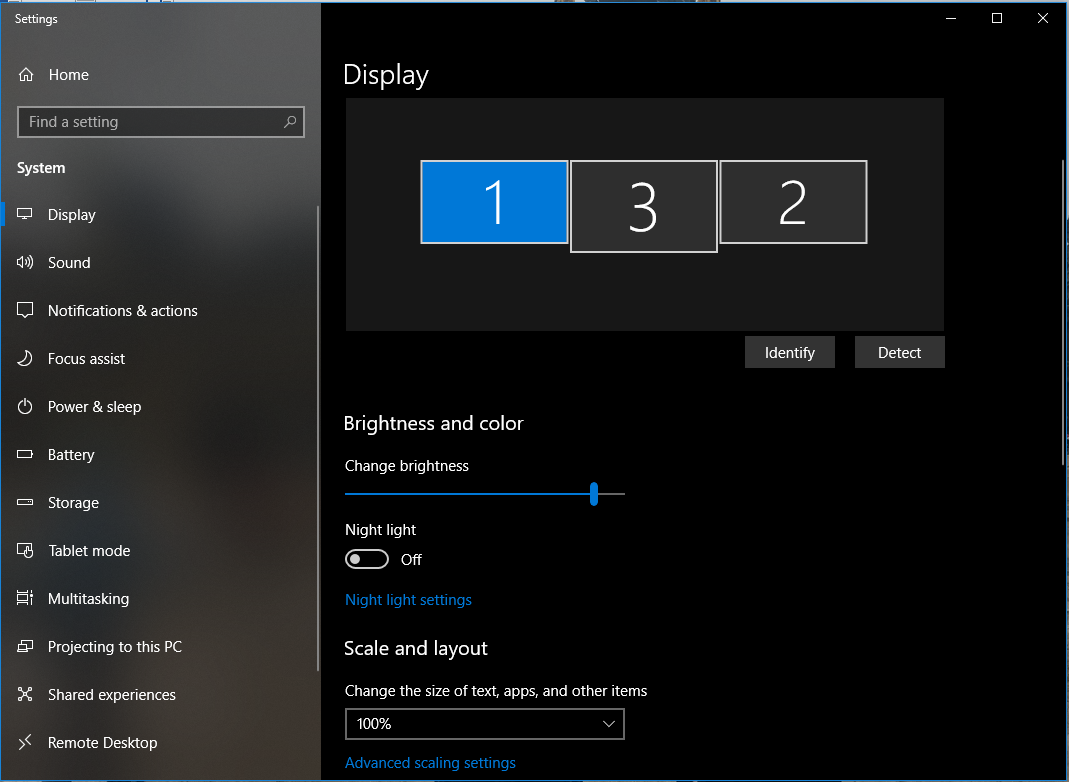
- Open the Display Settings by right clicking the desktop and selecting “Display Settings”.
- On the lower part of this panel, turn the “Night light” button to On, and click “Night light settings”.
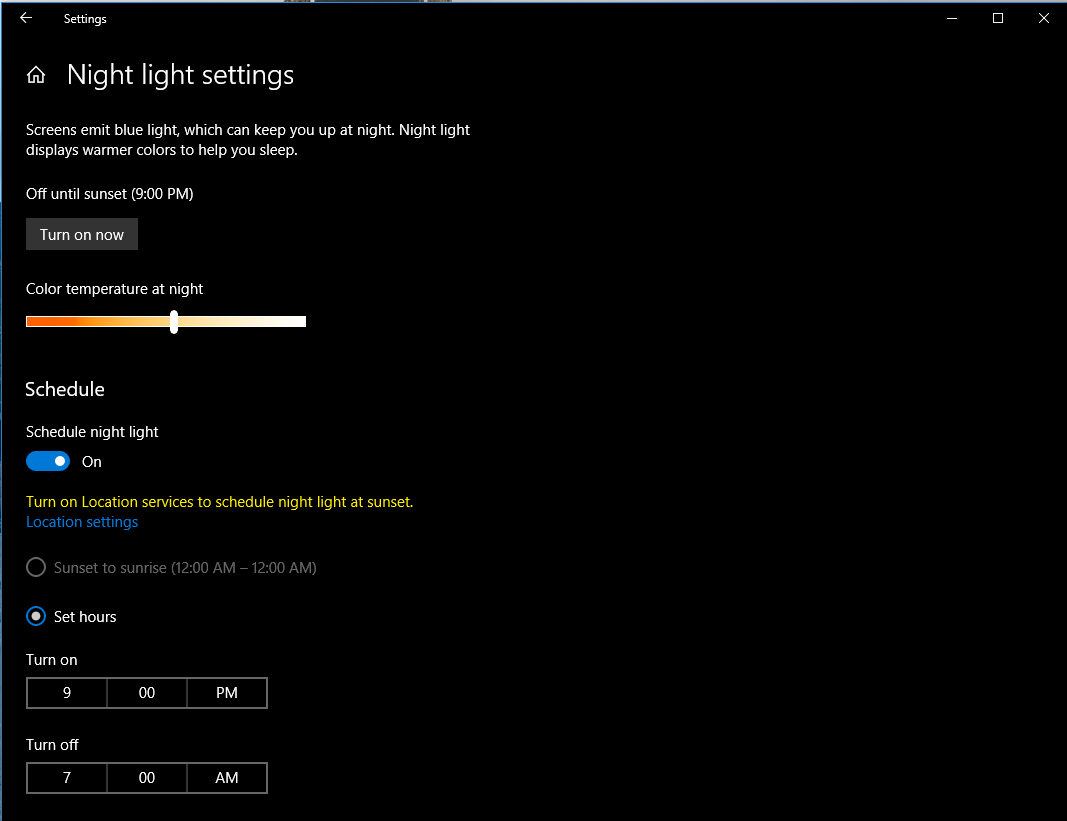
- In the next window, you can change the settings to have the night light come of during sunrise based on your location or during certain hours. You can also adjust the night time color temperature.
Related Products on Amazon
Windows 10 Pro LicenseShop on Amazon
USB Boot DriveShop on Amazon
DDR4 RAMShop on Amazon
SATA SSDShop on Amazon
MSTechPages is a participant in the Amazon Services LLC Associates Program, an affiliate advertising program designed to provide a means for sites to earn advertising fees by advertising and linking to Amazon.com. As an Amazon Associate, we earn from qualifying purchases at no extra cost to you.