Estimated Reading Time: 1 min
To show hidden files & folders, you can follow these two easy steps.
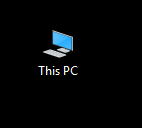
- Open File Explorer (Click ‘This PC’ on desktop, folder image on taskbar, or Windows Key + E).
- Click on the View Tab.

- On the right hand side, under ‘Show/hide’, you can select the Hidden items checkbox to now show hidden files and folders.

They will appear in Explorer as a dimmed folder compared to non-hidden folders, as seen by the OneDriveTemp folder here:

Related Products on Amazon
Microsoft 365 PersonalShop on Amazon
Microsoft 365 FamilyShop on Amazon
Office 2021Shop on Amazon
Wireless KeyboardShop on Amazon
MSTechPages is a participant in the Amazon Services LLC Associates Program, an affiliate advertising program designed to provide a means for sites to earn advertising fees by advertising and linking to Amazon.com. As an Amazon Associate, we earn from qualifying purchases at no extra cost to you.