Estimated Reading Time: 2 min
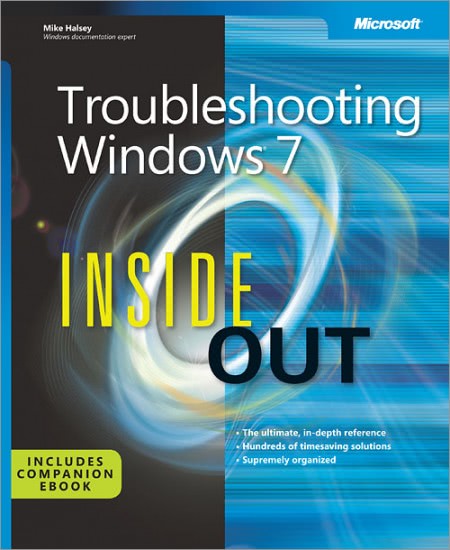
Mike Halsey, author of Troubleshooting Windows 7 Inside Out, is having a giveaway. While I’m a bit late to the party in bringing this news to you, I’m not bringing the after party. You still have several hours to get in on this. I recommend it as it is a great book. I am finishing up a review which will be posted very soon. So, get in to win it!
The ultimate, in-depth reference for troubleshooting Windows 7 — from the inside out! This supremely organized book delivers hundreds of prevention tips, troubleshooting techniques, and recovery tools, with a companion ebook and additional content online.
You’re beyond the basics, so dive right into troubleshooting Windows 7 — and really put your PC to work! This supremely organized reference describes hundreds of prevention tips, troubleshooting techniques, and recovery tools in one essential guide. It’s all muscle and no fluff. Discover how the experts keep their Windows 7-based systems running smoothly — and challenge yourself to new levels of mastery.
- Take control of essential Windows 7 maintenance and security features, such as the Action Center and User Account Control
- Master quick fixes to the most common problems using expert tips and step-by-step repair guides
- Implement best practices to help prevent and combat viruses, malware, and identity theft
- Apply advanced troubleshooting techniques by understanding how Windows 7 works
- Diagnose hardware problems and work safely with your PC
- Develop a recovery plan to restore your system and data in the event of a disaster
- Know when to use power utilities for advanced performance, maintenance, and diagnostics
This is a simple competition too, all you need to do is the following.
Follow @Mike_Halsey on Twitter and Tweet about this competition Don’t Tweet? You can also enter by following Mike on Facebook
MSTechPages is a participant in the Amazon Services LLC Associates Program, an affiliate advertising program designed to provide a means for sites to earn advertising fees by advertising and linking to Amazon.com. As an Amazon Associate, we earn from qualifying purchases at no extra cost to you.