
MSTechpages
  • Home
  • Knowledge Base
  • Reviews
  • Articles
  • About
News

Why Did Microsoft Remove the Start Button

Jun 28, 2012·Dustin·Comments (2)

Estimated Reading Time: 2 min

The removal of the Start button from Windows 8 has had a lot of people… well – pissed. It’s not even an option anymore. I’ve been using the Start menu since Windows 95, and I can see it’s usefulness running out for some. But, for others (myself included) still use it efficiently. I can pin a couple dozen apps on my Start menu, a few dozen icons on my desktop, and still require more for applications that I rarely run (and can’t efficiently search because I don’t recall the exact name of the application). Cluttered, for sure.

Microsoft has their reasons, but I don’t care much for their reason. I can see other reasons (touchscreen, etc.) but for this simple reason, I’m not convinced. If this were the biggest reason that Microsoft removed the Start button, it should be an option to put it back for those users that still use it. There are a few conspiracy theories out there – Metro can push users to the Windows Store to raise more money, kill off desktop applications within the next few releases to make the Store the only outlet.

"We’d seen the trend in Windows 7," said Chaitanya Sareen, principal program manager at Microsoft, referring to the telemetry gathered by the Microsoft Customer Experience Improvement Program. "When we evolved the taskbar we saw awesome adoption of pinning [applications] on the taskbar. We are seeing people pin like crazy. And so we saw the Start menu usage dramatically dropping, and that gave us an option. We’re saying ‘look, Start menu usage is dropping, what can we do about it? What can we do with the Start menu to revive it, to give it some new identity, give it some new power?’"

Related Products on Amazon
USB Flash DriveShop on Amazon
External SSDShop on Amazon
Wireless KeyboardShop on Amazon
PC Cleaning KitShop on Amazon

MSTechPages is a participant in the Amazon Services LLC Associates Program, an affiliate advertising program designed to provide a means for sites to earn advertising fees by advertising and linking to Amazon.com. As an Amazon Associate, we earn from qualifying purchases at no extra cost to you.

Written by
Dustin · Founder and Head Editor, News Poster
Sr. Cybersecurity Engineer - Microsoft MVP Windows Experience (2014-2015)

Dustin is the founder and head editor of MSTechpages. He started the site to help other users of Windows. He has been very active with helping others throughout the years, from USENET to Microsoft Answers to the latest Microsoft Communities as well as other internet forums such as Reddit. He is a Sr. System Administrator, holds several industry certifications and degrees.

View all 1500 articles by Dustin →

Related Articles

SecurityUpdates News

Patch Tuesday a BIG One!

Oct 14, 2026 · Dustin
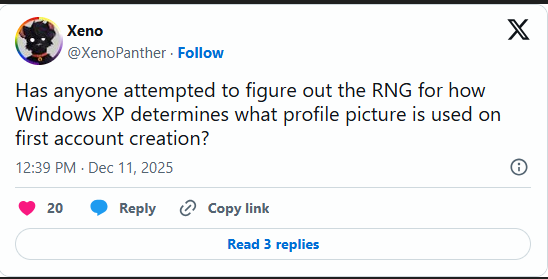
Xeno asks how Windows XP randomly chooses a profile picture when an account is first created News

Windows XP Logon Picture

Sep 10, 2026 · Dustin
New build for you! News

Windows 11 26H2 In Release Preview Channel

Aug 28, 2026 · Dustin

Windows Insider Builds

Beta
26320.10022
Beta (26H1)
28020.3562
Experimental
26340.10032
Experimental (26H1)
28120.3571
Experimental (Future)
29712.1013
Release Preview (25H2/26H2)
26200.10066
Release Preview (26H1)
28000.3612
Recent Knowledge Base Articles
  • Disable Touch Screen in Windows
  • Add “End Task” To Right Click Application on Taskbar
  • Offline install of .Net Framework 3.5 using DISM
  • Disable Autohide Scrollbars
  • Install Active Directory RSAT in Windows 10 1809 or later
  • Disable File Grouping in File Explorer
  • Forget Wireless Networks
  • Show Hidden Files & Folders
  • Enable Night Light Mode
  • How to Fix a Network Printer Showing Offline
MSTechpages

Covering Microsoft since the dial-up days, using Windows since 2.0.

Windows

  • Windows 11
  • Windows Insider
  • Canary Channel
  • Cumulative Updates

Resources

  • Knowledge Base
  • Articles
  • Reviews

Company

  • About
  • Contact
  • Privacy Policy
  • Advertise

© 2026 MSTechpages. All rights reserved.

Privacy